The best laptop for engineering students starts with three questions
Choosing a laptop for an engineering degree feels like a performance question. It is closer to a planning question, and it has three parts: what work has to happen on your own machine, what your university already runs on its lab PCs and servers, and whether the laptop will still be tolerable in your final year.
Answer those three and the shortlist gets short fast. For most engineering students it lands on a professionally refurbished business laptop, because that class of machine was built for years of daily use and reaches a student budget once it leaves a corporate fleet. Refurbished means a used device that has been tested, repaired where needed and graded before resale, and every laptop on refurbed carries at least a 12-month warranty.
Which machine wins depends on which of the three questions bites hardest. Three answers cover most engineering degrees, and all of them sit in the refurbished laptop range.
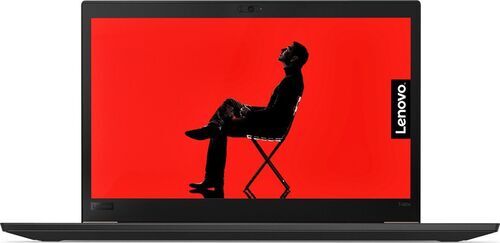
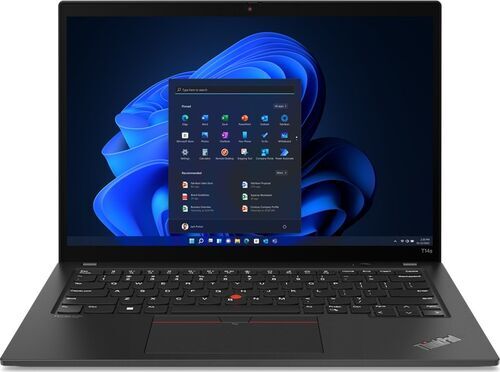
Coursework, coding and reports, with the heavy licensed software on campus machines. A business-class ThinkPad. The ThinkPad T14 G3 is the everyday default, and the ThinkPad T480s covers a very tight first-year budget.
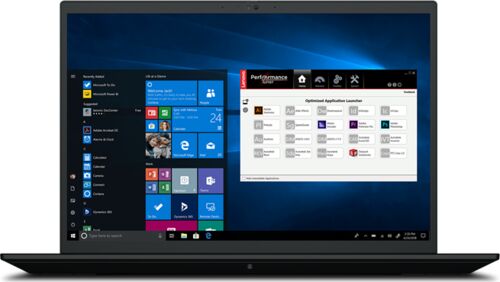
CAD, simulation or rendering that has to run on your own laptop. A mobile workstation such as the ThinkPad P15 G2, with a heavier bag as the price.
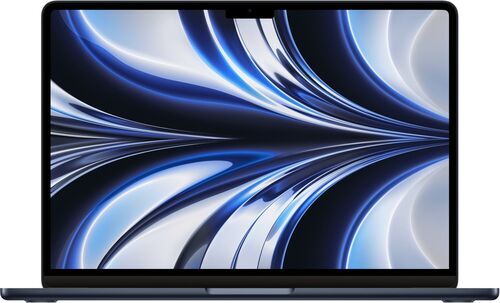
A coding-heavy course, Apple already in your life, and a confirmed fallback for Windows-only tools. The MacBook Air M2, at 1240 g with a 52.6 Wh battery.
Start here: laptops for engineering students by situation

What engineering students worry about before they buy
The same five worries come up every intake, and no benchmark score answers any of them.
I know my major. I have no idea what software year three throws at me. Fair. First year is often notes, a browser and an introductory programming course. Later years can bring CAD, finite-element work, circuit simulation or FPGA tools, and nobody tells you which in advance.
My department publishes a minimum spec, and people who bought exactly that spec say it crashes. Published minimums describe what installs, not what runs comfortably on a real project file. Treat a minimum as a floor, not a target.
Will this still be tolerable in fourth year, or am I buying twice? The parts that age are memory headroom and the battery, not the processor generation. Buy for the first and budget for the second.
What do people overpay for, and what do they regret skipping? Overpaid: graphics capability that never runs anything. Regretted: memory that cannot be changed later.
Half the recommendations I read are somebody selling something. A fair suspicion to bring to a marketplace. The useful test on any recommendation: does it ever tell you to spend less? If it never does, discount it.
How much RAM does an engineering laptop need?
16 GB is the working floor for an engineering degree. It carries a browser, an editor, a compiler and a document at once without complaint.
32 GB is what students wish they had once assemblies grow, meshes get finer and a simulation runs alongside everything else. Whether you need 32 GB depends on whether that work happens on your laptop or on a lab machine.
The part worth checking before you buy is whether the memory is soldered to the board. Soldered memory cannot be changed later, so on a soldered machine you buy your ceiling on day one. A model with a memory slot keeps the decision open, which matters most when you do not yet know what your third year looks like.
Configurations vary by seller, so read the memory figure on the individual listing. The DDR4 or DDR5 line in a spec sheet tells you the memory generation, not the amount.
Your university computes more than you think
Engineering departments run lab PCs, licensed software servers, remote desktops and cluster time. A student with reliable access to all of that needs a comfortable, portable, long-running laptop far more than a heavy machine with a discrete graphics card.
Four questions to put to your department before you spend anything: which applications are licensed for personal installation, which run only on lab machines, whether remote access exists and during which hours, and how busy the labs get in project weeks.
The honest counterweight: lab availability collapses in deadline season, and society or side projects rarely come with licences. So verify the access first, then buy for the work that has to happen at your own desk. That is usually less machine than the forums suggest.
Entry, everyday and workstation laptops for engineering students compared

From 267,99 €
Processor
Intel Core i5-8350U
Number of cores
4
Clock speed
1.70 GHz
Screen size
14 inch
Weight
1320 g
Numeric keypad
No
Year of release
2018
Intel Core i7-1255U
10
1.70 GHz (P-core)
14 inch
1320 g
No
2023
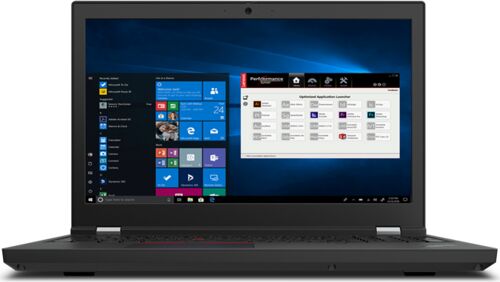
The default answer: refurbished ThinkPad T480s and T14 G3
One thing the table hides: a higher core count is not automatically more machine. The T14 G3 reaches 10 cores as two performance cores at 1.70 GHz plus eight efficiency cores at 1.20 GHz, while the P15 G2 runs 8 full-power cores at 2.50 GHz. What the table does show plainly is weight: 1320 g for both 14 inch machines, then 2870 g for the workstation. Most engineering students want the jump in cores and not the jump in weight.
Business-class Windows machines on x86 are the safest universal choice, because every Windows-only engineering tool runs on them without a workaround. Picture the ordinary week: lecture notes, a programming assignment, a lab report, a PDF reader and a browser with far too many tabs, carried across campus every day.
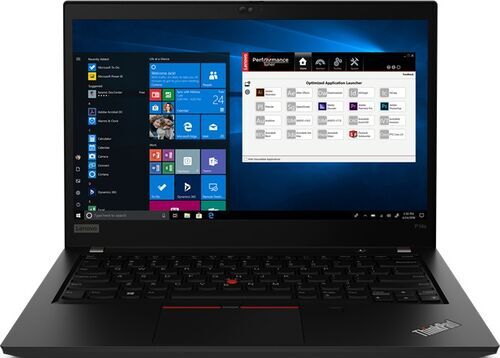
Tightest budget. The ThinkPad T480s runs an Intel Core i5-8350U with 4 cores at 1.70 GHz, a 14 inch 1920 x 1080 IPS screen and 1320 g in the bag. A 2018 machine is the right buy when campus handles the heavy applications and you plan to reassess in third year. It is the wrong buy if third-year CAD has to run locally.
Everyday default. The ThinkPad T14 G3 steps up to an Intel Core i7-1255U with 10 cores and Intel Iris Xe graphics, at the same 1320 g. Its taller 1920 x 1200 screen shows more of a script or a drawing than a 1080p panel, and the two Thunderbolt 4 ports, two USB-A ports, HDMI and wired network port cover a lab bench properly. More Lenovo laptops sit alongside it.
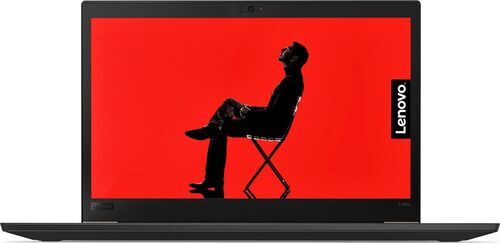
Light laptops for engineering students: weight, battery and the charger
The weight spread across these machines runs from 1120 g to 2870 g. That is 1750 g of difference carried every day, before the power adapter goes in the bag. Back-to-back lectures, a seminar and an evening study session rarely come with a reliable socket, which is why campus usability often beats peak performance.
Two machines answer two versions of light. The ThinkPad X1 Carbon G11 is the lightest capable option at 1120 g, with an Intel Core i7-1355U, 10 cores, Intel Iris Xe graphics, a 14 inch IPS screen, two Thunderbolt 4 ports, two USB-A ports and HDMI. The ThinkPad X1 Yoga G1 Titanium weighs 1270 g at 11.5 mm thin, and its 13.5 inch 2256 x 1504 touchscreen suits handwriting and annotating drawings.
Two caveats worth knowing before you pick either. The Yoga carries only two Thunderbolt 4 ports and an audio jack, so a hub becomes part of the purchase. Both use LPDDR memory soldered to the board, so the memory ceiling is fixed on day one.
On battery: it is the one wear item on a used laptop. Read the battery condition stated on the listing and treat it as a replaceable part, not a reason to reject an otherwise ideal machine.
When CAD must run on your own laptop: ThinkPad P-series and Dell Precision
Some courses do not let you delegate. When CAD, finite-element simulation or rendering has to run at your own desk, the machine class changes and so does what you carry.
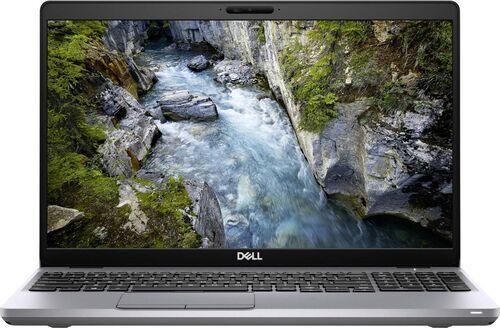
Full workstations. The ThinkPad P15 G2 runs an Intel Core i7-11850H with 8 cores at 2.50 GHz, a 15.6 inch IPS screen, a numeric keypad, two Thunderbolt 4 ports, HDMI 2.1 and a card reader, at 2870 g. The Dell Precision 15 3551 gives up two cores for an Intel Core i7-10750H with 6 cores and comes back nearly a kilogram lighter at 1890 g, with the same 15.6 inch screen, three USB-A ports and a wired network port. More Dell laptops are worth comparing.
The carryable compromise. The ThinkPad P1 G4 pairs the same 8-core Intel Core i7-11850H as the P15 G2 with a 16 inch screen, 18 mm of thickness and 1810 g, which is 1060 g lighter than the P15 G2 for the same processor. The ThinkPad P14s G2 is the smaller entry into the same family, with an Intel Core i7-1185G7, 4 cores, a 14 inch 1920 x 1080 screen and 1470 g, for students whose heavy work is occasional.
Graphics configuration varies by unit across all four, so check the graphics stated on the individual listing. And the cost of this tier is worth naming: H-class processors and 15.6 inch screens mean a heavier bag, a bigger power adapter and less time away from a socket.
A MacBook for engineering students: when it works and when it costs you
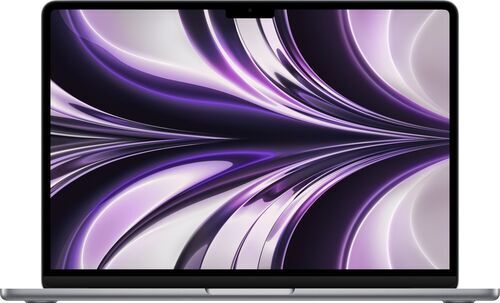
If Apple is already in your life and your course is coding-heavy, the MacBook Air M2 is a reasonable answer. The M2 chip with 8 cores handles notes, writing and code comfortably, the 13.6 inch 2560 x 1664 screen is the sharpest of the machines here, and at 1240 g only the X1 Carbon G11 undercuts it. A 52.6 Wh battery, two Thunderbolt 3 ports, MagSafe 3 charging and a fingerprint sensor round it out.
Now the constraint, stated plainly: parts of an engineering curriculum still expect Windows on x86. An Apple silicon Mac cannot run Windows natively, so the fallbacks are a virtual machine, a remote campus computer or a second machine.
So make the purchase conditional. Ask your department which required applications run on macOS and which need remote access, then buy once you have an answer you trust. More MacBooks are worth a look if that answer comes back clean.
Refurbished vs used: two different purchases
A private used sale and a professionally refurbished laptop answer the same budget with very different risk.
Battery condition is graded and stated on the listing rather than described by the seller. The configuration is written down, so you know what memory and storage you are getting instead of guessing from a photo. Remaining life rests on a refurbishment process that tests and repairs, not on an unknown history. The return window is long enough to test the machine on your real coursework. The warranty runs at least 12 months on every device sold through refurbed. And the sellers are vetted businesses with a trading record, which is a different proposition from an anonymous private listing.
Use the return window properly. Install the software your course requires, push the machine for a sustained hour rather than five minutes, and check every port, the keyboard and the screen while sending it back is still an option.
Why refurbished became the default answer, not the fallback
Refurbished usually enters the conversation as a budget concession. It tends to end up as the recommendation from people who have already finished an engineering degree, and the reason is supply.
Business laptops and mobile workstations are specified for years of corporate service, then leave those fleets on a refresh cycle with most of their working life intact. That flow is why a student budget reaches a machine class never sold at student prices new: a better keyboard, a fuller set of ports and a more serviceable design than a new laptop at the same money.
Buying refurbished has stopped signalling that you ran short. It signals a decision about where the money goes, which for an engineering student usually means more memory and a better screen instead of a newer badge. The refurbished laptop range on refurbed is built largely on that supply, and Lenovo business machines make up a good part of it.
Engineering student laptop FAQs
Is 16 GB of RAM enough for an engineering degree?
Yes, for most of it. 16 GB handles coding, documents, a browser and light CAD comfortably. Large assemblies, fine meshes and long simulations are where 32 GB starts to matter, and that work often runs on lab machines anyway.
Do I need a dedicated graphics card for CAD?
Only if CAD runs on your own laptop. When the heavy work happens on lab PCs or a remote desktop, integrated graphics are enough. Graphics configuration varies by unit, so check what the individual listing states.
Is a 2018 refurbished laptop still worth buying for university?
Yes, as a first machine on a tight budget. A ThinkPad T480s covers notes, coding, reports and browsing for a couple of years, and it leaves budget for an upgrade you may turn out not to need.
Can I use a MacBook for an engineering degree?
Often, with one condition. Confirm with your department that its required applications run on macOS or are reachable remotely, because Apple silicon Macs cannot run Windows natively.
How long should an engineering laptop last?
Four years is a fair target. What limits it is memory headroom and battery condition, not processor age.
What warranty comes with a refurbished laptop?
At least 12 months on every device sold through refurbed, plus a return window to test the machine on your own coursework. Warranty terms are listed on each laptop page.
What you save by not buying new
Most of a laptop's environmental cost is created before it is switched on for the first time, in mining, manufacturing and shipping. Extending an existing machine's life therefore counts for more than any efficiency gain while you use it.
Fraunhofer Austria measured the difference model by model. A refurbished ThinkPad T480s avoids around 304 kg of CO2 equivalent, roughly 77,000 litres of water and about 1,400 g of electronic waste compared with buying the same device new, which is 83 to 88 percent lower across those three measures. A refurbished MacBook Air M2 avoids about 284 kg of CO2 equivalent, roughly 72,000 litres of water and about 1,300 g of electronic waste, around 83 percent lower.
Both arguments land in the same place. A laptop that survives four years is the better purchase and the lower-impact one. So confirm what campus covers, buy for the work that has to happen at your own desk, and read the memory and battery figures on the listing before you click.

Sign up for our newsletter for the first time and save 15€!
Never miss an offer again.
Information about the use of personal data can be found in our Privacy policy.
Get the refurbed app
For iOS and Android


Confirm sign-up
Click the link in our confirmation e-mail to receive your voucher. It will be applicable to purchases from 200€.
- © Refurbed Marketplace GmbH
- Accessibility
- T&C
- Privacy Policy
- Imprint
- Legal Notices
- European Data Act
- Cookie Policy