iPhone 17 camera: get the full picture before you buy
You already know the iPhone 17 range takes great photos. The real question is which model fits how you shoot, and whether you are getting the most out of the camera you already own.
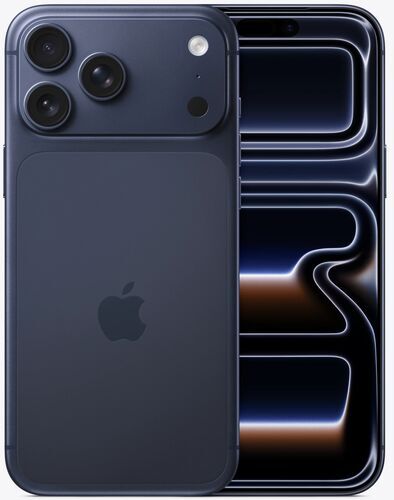
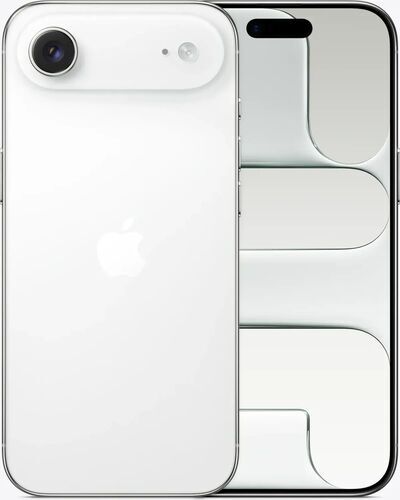
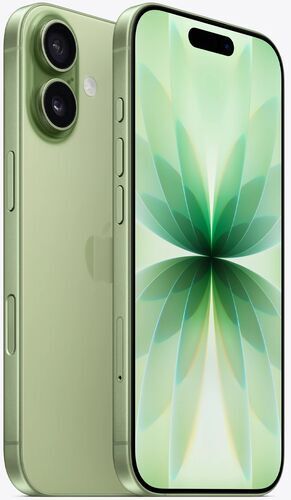
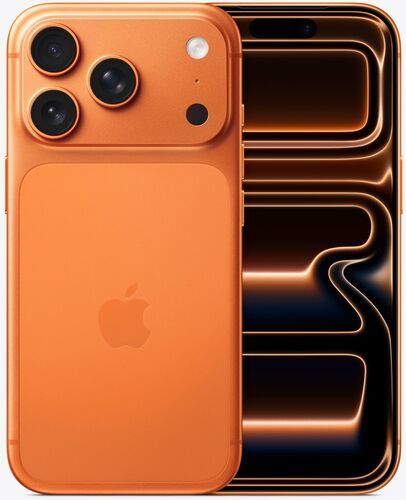
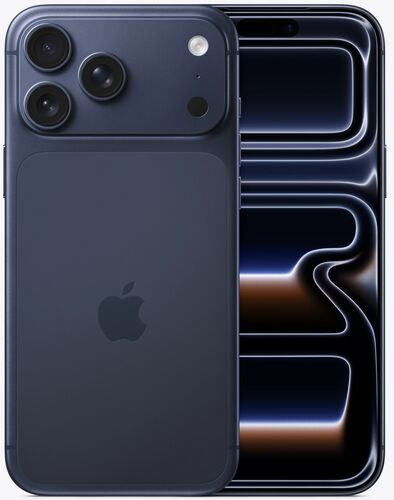
Four models make up the lineup: the standard iPhone 17, the ultra-thin iPhone Air, the iPhone 17 Pro, and the iPhone 17 Pro Max.
What follows is real side-by-side test data on zoom, low light and dynamic range, the Camera Control button every model shares, settings for five common shooting situations, a handful of useful quirks, and what buying a refurbed iPhone 17 saves compared to a new one.
Quick take: how good is the iPhone 17 camera?
For everyday shooting at 1x and 2x, selfies, and ultra-wide shots, the standard iPhone 17 keeps pace with the iPhone 17 Pro almost exactly.
The gap only opens up in three situations: zoom past 4x, low light autofocus speed, and RAW or Log video work.
If none of those are a regular part of how someone shoots, the iPhone 17 or iPhone Air cover the same ground as the Pro models for a lower price. If zoom, low light, or professional video editing matter, the iPhone 17 Pro or iPhone 17 Pro Max are the better fit.
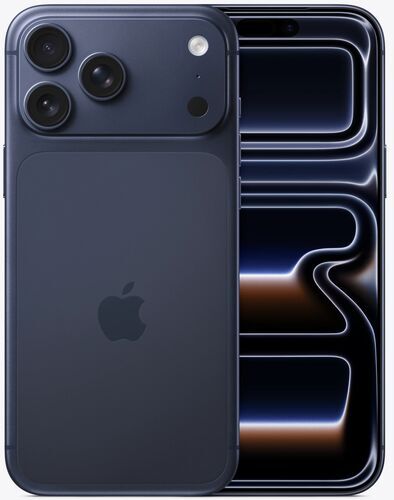
iPhone 17 camera specs, in focus
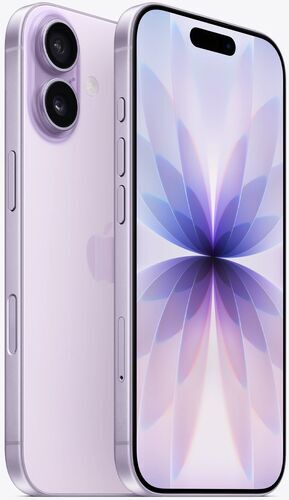
Rear camera
48MP main + 48MP ultra-wide
Front camera
18MP Center Stage
Zoom range
0.5x, 1x, 2x, up to 10x digital
Chip
Apple A19
Battery
3692 mAh
Weight
177 g
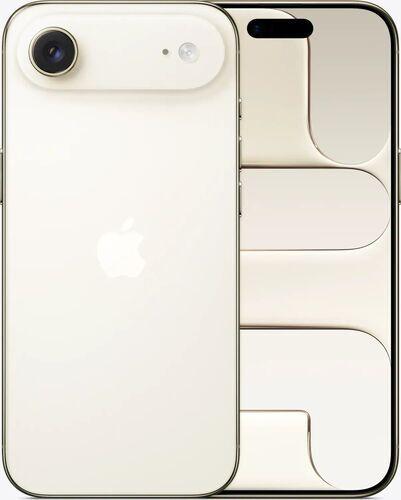
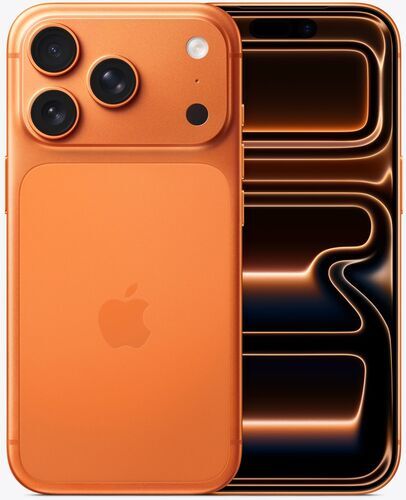
vs.
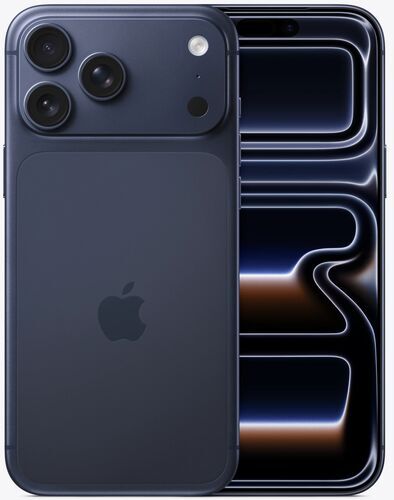
48MP main + 48MP ultra-wide + 48MP telephoto
18MP Center Stage
0.5x to 8x optical quality, up to 40x digital
Apple A19 Pro
4252 mAh
206 g
48MP main + 48MP ultra-wide + 48MP telephoto
18MP Center Stage
0.5x to 8x optical quality, up to 40x digital
Apple A19 Pro
5088 mAh
233 g
iPhone 17 vs iPhone 17 Pro camera: does the upgrade matter?
Ultra-wide shots and selfies come out identical on both phones. Same hardware, same results, no difference worth mentioning.
At 1x and 2x, the two cameras land close together too. The iPhone 17 Pro edges ahead with slightly finer detail and stronger dynamic range, holding onto bright highlights that the iPhone 17 sometimes blows out.
The iPhone 17 lifts shadows more aggressively to compensate for its smaller sensor. Every so often it shows marginally sharper 2x detail than the Pro, likely down to extra software tuning since it has no telephoto lens to fall back on.
Low light is where the Pro's larger main sensor and LiDAR-assisted autofocus start to matter. The iPhone 17 focuses noticeably slower in the dark and tends to oversharpen, giving photos a more processed look.
The Pro locks focus faster and keeps noise and contrast cleaner.
Zoom is the deciding factor. Past 4x, the iPhone 17's digital-only zoom turns grainy and distorted, closer to an oil painting than a photo, and it caps out at 10x.
The iPhone 17 Pro's periscope telephoto covers 4x and 8x at real usable quality and reaches 40x digitally, doubling as a distant-detail viewfinder at concerts, sports, or wildlife.
One curveball: at 8x and beyond, the iPhone 17's handheld shots can feel steadier than the Pro's, even with less detail. Unless zoom, low light, or dynamic range headroom matter regularly, the standard iPhone 17 keeps up.
The Camera Control button: the same system across the whole iPhone 17 range
Every iPhone 17 model, including the Air, shares one Camera Control system.
A single press launches the camera or takes a shot. A press-and-hold records video.
A light press brings up a quick adjustment, usually zoom, that responds to a swipe. Holding that light press locks focus and exposure, off by default.
A double light press opens the full menu: Cameras, Styles, Tone, Zoom, Depth, and Exposure, cycled through with a swipe.
Camera Adjustments is switched off by default in Settings, so Camera Control does nothing useful until it is turned on.
A few more settings worth checking: Require Screen On can be disabled for a faster lock-screen launch, Clean Preview hides the on-screen interface during adjustment, and press force and double-press speed are both adjustable. The control list itself can be reordered to put zoom or exposure first.
The same gestures work identically back to the iPhone 16 Pro. Camera Control can also launch Magnifier or the Code Scanner instead of Camera, useful accessibility and QR-scanning shortcuts most people never discover.
iPhone 17 camera settings: your path to photography mastery
The camera app itself hides most of what the iPhone 17 can do. Real photography mastery starts in Settings, not the camera interface, since the right setup changes depending on what is being shot.
Here are five common situations and what to adjust for each.
Everyday and travel photos
Stick to the 1x main lens (24mm) over the 0.5x ultra-wide (13mm) or the 2x portrait crop for the most detail and the least distortion.
The range also adds 1.2x (28mm) and 1.5x (35mm) digital crops pulled from the main sensor, with barely any quality loss. Either can be set as the default lens in the FusionCamera settings.
Switch the aspect ratio from the default 4:3 to 16:9 for a fuller frame that fits more social platforms without cropping.
Turn on Camera Adjustments in Settings first, or Camera Control will not respond to anything.
24MP is the practical sweet spot for everyday shots. Save 48MP and ProRAW for photos meant for heavy editing later, since the extra resolution trades away some dynamic range.
A small negative exposure bias, around -0.3 EV on the plus or minus 2 stop slider, keeps bright scenes from looking blown out. It persists across shots until manually reset.
Shooting close up, under about 14cm, switches on Macro mode automatically through the ultra-wide lens. A Macro Control toggle, marked by a small yellow flower icon, switches it to manual if the automatic switching gets distracting.
Low light and night shots
Leave Night Mode on Auto and let the iPhone 17 decide when to extend the exposure.
For a tripod or braced shot, switch to Night Mode Max and follow the on-screen crosshair to hold the frame steady through the longer capture.
On the iPhone 17 Pro and Pro Max, LiDAR-assisted autofocus locks onto a subject faster in the dark, an advantage the standard iPhone 17 and Air do not share.
Expect the non-Pro models to oversharpen a little and look more processed at night, where the Pro keeps noise and contrast cleaner.
One habit worth building: check the flash setting before shooting in a dark room. It can stay switched on from the last shot if it was never manually reset.
Zoom and live events
This is the one situation where the model matters more than any setting.
The iPhone 17 and iPhone Air rely on digital zoom only, usable up to around 2x to 4x before quality drops off fast, and capped at 10x total.
The iPhone 17 Pro and Pro Max add a periscope telephoto lens, 100mm at 4x, that holds real detail at 4x and 8x. Some call that range ultra-telephoto. It keeps extending digitally to 40x.
That is enough to double as a viewfinder for distant detail. Anyone shooting concerts, sports, or wildlife on a regular basis should weight that difference heavily before choosing a model.
Cinematic quality: video and clips
4K at 30fps is the everyday default: enough detail without oversized files.
Drop to 4K24 for a more cinematic look, or up to 4K60 when a clip is headed straight to social media.
Turn HDR video off for a more natural look on screens that do not support it, though it can look punchier on social feeds if left on.
Enhanced Stabilization stays on by default for handheld shots. Switch it off on a tripod, where it widens the frame slightly for a small quality trade.
Slow motion runs at 120fps standard or 240fps ultra, though 240fps drops the resolution down to HD.
Cinematic mode's background blur has its own adjustable aperture, from f/2.8 to f/16, available at 1x or 2x zoom only.
The iPhone 17 and Air top out at 4K60 and HD 240fps slow motion, with no native ProRes, though the free Blackmagic Camera app gets close.
The iPhone 17 Pro and Pro Max add native 4K120, ProRes RAW, and Apple Log 2. On the Pro models, saving ProRAW as JPEG XL Lossy keeps files smaller with barely any quality loss.
A trick worth knowing either way: Photographic Styles are not supported in video directly, but the Photos app's video filters can approximate the same look after capture.
Portraits and selfies
The telephoto lens on the iPhone 17 Pro and Pro Max gives closer, more flattering face framing where it is available.
On any model, Portrait mode can be applied after the fact in editing if a face was detected at capture, even on a photo shot in normal mode.
Photographic Styles worth trying beyond the Standard default include Vibrant, Luminous, and the muted black-and-white options, plus undertone presets like Rose Gold and Cool Rose. All are adjustable and editable after capture.
The 18MP Center Stage selfie camera is identical hardware across the whole range, with auto-zoom and auto-rotate that fits more people into frame without turning the phone sideways.
One quirk worth knowing beforehand: the mirrored preview during a selfie does not match the final, non-mirrored image, though a settings toggle can change that.
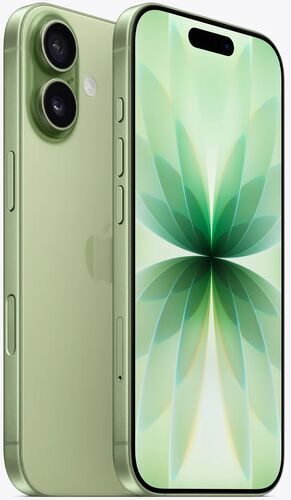
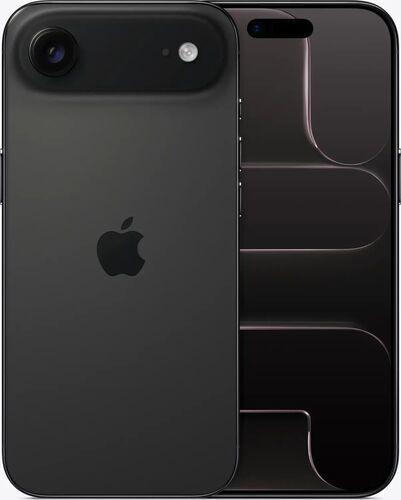
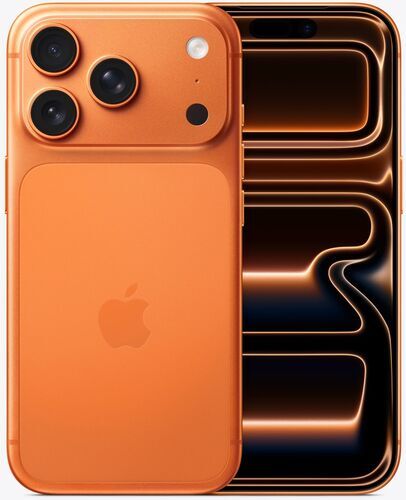
Find your iPhone 17 camera
Quirks worth knowing before you shoot
Full settings control only lives in the Settings app, never in the camera interface itself, which catches a lot of new owners off guard.
The shutter button does more than tap to shoot. Swipe it left for Burst mode, press and hold for QuickTake video, or drag and hold to lock into continuous recording.
The camera can be launched four different ways: a long press on the always-on display, a swipe left from the lock screen, a single press of Camera Control, or the Action button if it has been reassigned. A back-tap accessibility shortcut works too.
A press-and-hold on Camera Control also opens Visual Intelligence, which can identify plants and animals, pull up business information, or search an image on the web.
The small indicator light next to the camera is color coded: green means the camera is active, orange means audio is being captured. A small privacy detail worth knowing.
Flash can stay switched on from a previous shot if it is never manually reset, which risks flashing someone by accident in a dark room.
The standard iPhone 17 has no native ProRes in the stock camera app, but the free Blackmagic Camera app closes much of that gap, in some settings rivaling the Pro's own output.
Photographic Styles can now be adjusted after a photo is taken, not just applied live, a change from older iPhone generations. On the iPhone 17 Pro and Pro Max, aperture and Cinematic mode's background blur are editable after capture too.
What it costs the planet to build a phone camera
A modern smartphone camera system is not just glass and a sensor.
Multiple lenses, image stabilization motors, and dedicated processing all draw on mined rare-earth elements and other critical raw materials, sourced through supply chains that carry a documented conflict-minerals risk.
Manufacturing a new phone accounts for the largest share of its lifetime footprint, well ahead of the years spent using it.
That means the emissions, water use, and material extraction behind a new iPhone are locked in before it ever reaches a shelf, regardless of how carefully it gets used afterward.
None of that disappears once a phone changes hands. It just gets distributed across a longer lifespan, which is exactly what buying refurbished does.
Buy refurbished, save the resources a new one would cost
Buying a refurbished iPhone 17 keeps one of these devices in use for longer instead of adding to new production.
Based on scientific research by Fraunhofer Austria, verified under ISO 14040/14044 standards, using the entry storage tier for each model:
↓ iPhone 17 (256 GB): SAVED 70.8 kg CO₂, 26,494 litres of water, and 154 g of e-waste (84%, 88% and 78% less than a new device)
↓ iPhone Air (256 GB): SAVED 64.8 kg CO₂, 24,353 litres of water, and 141.8 g of e-waste (83%, 87% and 77% less than a new device)
↓ iPhone 17 Pro (256 GB): SAVED 84.3 kg CO₂, 31,408 litres of water, and 182 g of e-waste (86%, 89% and 81% less than a new device)
↓ iPhone 17 Pro Max: no model-specific figures published yet, though refurbished still saves roughly 70 kg of CO₂ and around 100,000 litres of water compared to a new device, alongside a real cut in e-waste.
Which iPhone 17 should you buy for the camera?
Get the iPhone 17 if most shooting happens at 1x and 2x: everyday photos, selfies, social media, and casual travel shots. It matches the Pro almost exactly in every one of those situations.
Get the iPhone Air for the same everyday shooting, plus a noticeably thinner and lighter phone to carry, without giving up the shared Camera Control system or the 48MP main sensor.
Get the iPhone 17 Pro for regular low light shooting, zoom past 4x, or RAW and Log video that needs real editing headroom.
Get the iPhone 17 Pro Max for the same camera priorities as the Pro, plus the largest battery and screen for reviewing shots on location.
Skip the upgrade entirely if the current phone already covers 1x to 2x shooting well. The camera difference will not be the reason to change phones.
Why buy your iPhone 17 refurbished from refurbed?
Refurbished means professionally checked, cleaned, and reconditioned, not just resold as-is.
Every refurbed iPhone 17 is tested on its key functions, including the camera, before it gets listed, and graded honestly on cosmetic condition alone.
Every purchase includes a minimum 12-month warranty and 30 days to send it back if it is not the right fit. Same hardware and the same camera system as new, at a lower price.
iPhone 17 camera FAQs
Is the standard iPhone 17 camera good enough for most people?
Yes. For 1x and 2x photos, selfies, and ultra-wide shots, it matches the iPhone 17 Pro closely. The difference only shows up in low light, at zoom past 4x, and in RAW or Log video work.
What is the single biggest camera difference between iPhone 17 and iPhone 17 Pro?
Zoom. The iPhone 17 Pro's periscope telephoto stays sharp at 4x and 8x and reaches 40x digitally, while the iPhone 17's digital-only zoom turns grainy past 4x and caps at 10x.
Can the iPhone 17 shoot RAW photos?
Not natively at full resolution. Third-party apps can capture RAW on the standard iPhone 17, capped at 12MP, while the iPhone 17 Pro and Pro Max support native ProRAW.
Does the iPhone Air have the same camera as the iPhone 17?
Similar sensor generation, but the iPhone Air carries a single 48MP main lens with no ultra-wide, while the iPhone 17 adds a 48MP ultra-wide camera.
Does a refurbished iPhone 17's camera perform differently from a new one?
No. It is the same hardware, tested and confirmed fully functional before listing. Refurbished changes the cosmetic grade and the price, not how the camera works.
Ready to shop the iPhone 17 range?
Every model in the iPhone 17 range is available refurbished, tested, warrantied, and ready to ship.

Sign up for our newsletter for the first time and save 15€!
Never miss an offer again.
Information about the use of personal data can be found in our Privacy policy.
Get the refurbed app
For iOS and Android


Confirm sign-up
Click the link in our confirmation e-mail to receive your voucher. It will be applicable to purchases from 200€.
- © Refurbed Marketplace GmbH
- Accessibility
- T&C
- Privacy Policy
- Imprint
- Legal Notices
- European Data Act
- Cookie Policy